Generating Tree Areas for Ski Areas
A week ago, I posted about this Japanese Ski Resort Simulator (hosted on Carto and now integrated into Snowline) that shows a ski resort on a 3d circular diorama.
While building this, it exposed some of the incomplete/inaccurate lifts, runs and tree area data with Open Street Map that I am using.
Tree areas are important because it gives you an idea of where the runs are, even if there is a run course line visible. Tree areas are also the most complicated and time consuming areas to fix, unlike lifts and runs. But if you need to use the map to way find around a ski resort, you really do need to know where the trees are as those are nearly your only landmarks while riding/skiing.
Last week I discussed this with Anil Madhavapeddy who has been working on a project called Tessera. Tessera Project generates embeddings for every square of the surface of the earth from satellite observation. From these embeddings, you can start classifying what's on the surface, buildings, airports, roads and vegetation.
Anil suggested that I could use Tessera with a classifier to label, train and generate custom vegetation maps that I could use for the ski resort. Starting from GeoTessera's sample, I built an alternate label, trainer, classifier and map generator that lets me label, train and generate new tree areas for Snowline.
On Carto, there is a tool for creating this classifier, using the satellite imagery, we label areas that are trees, and those that are not (green vs yellow).
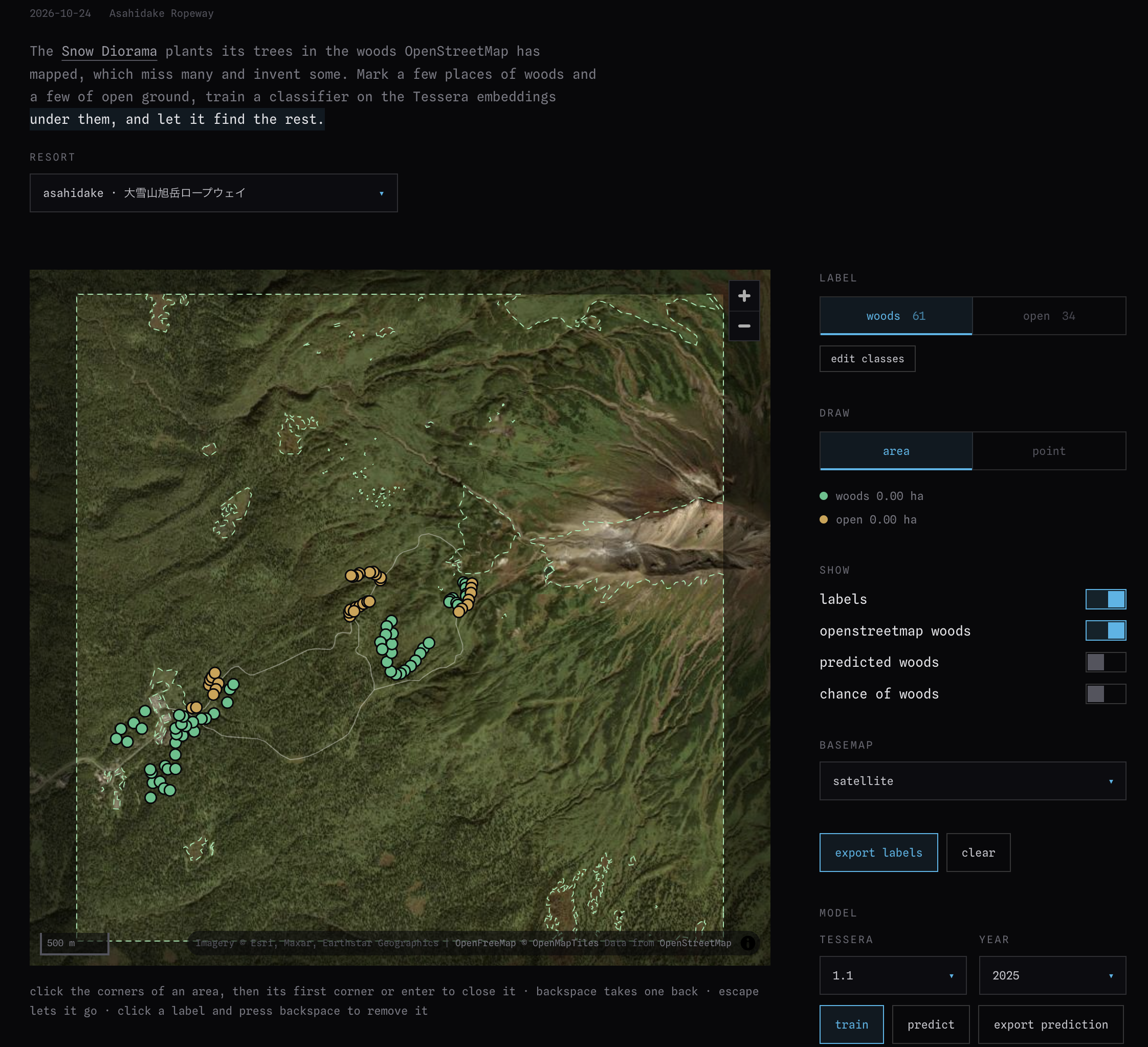
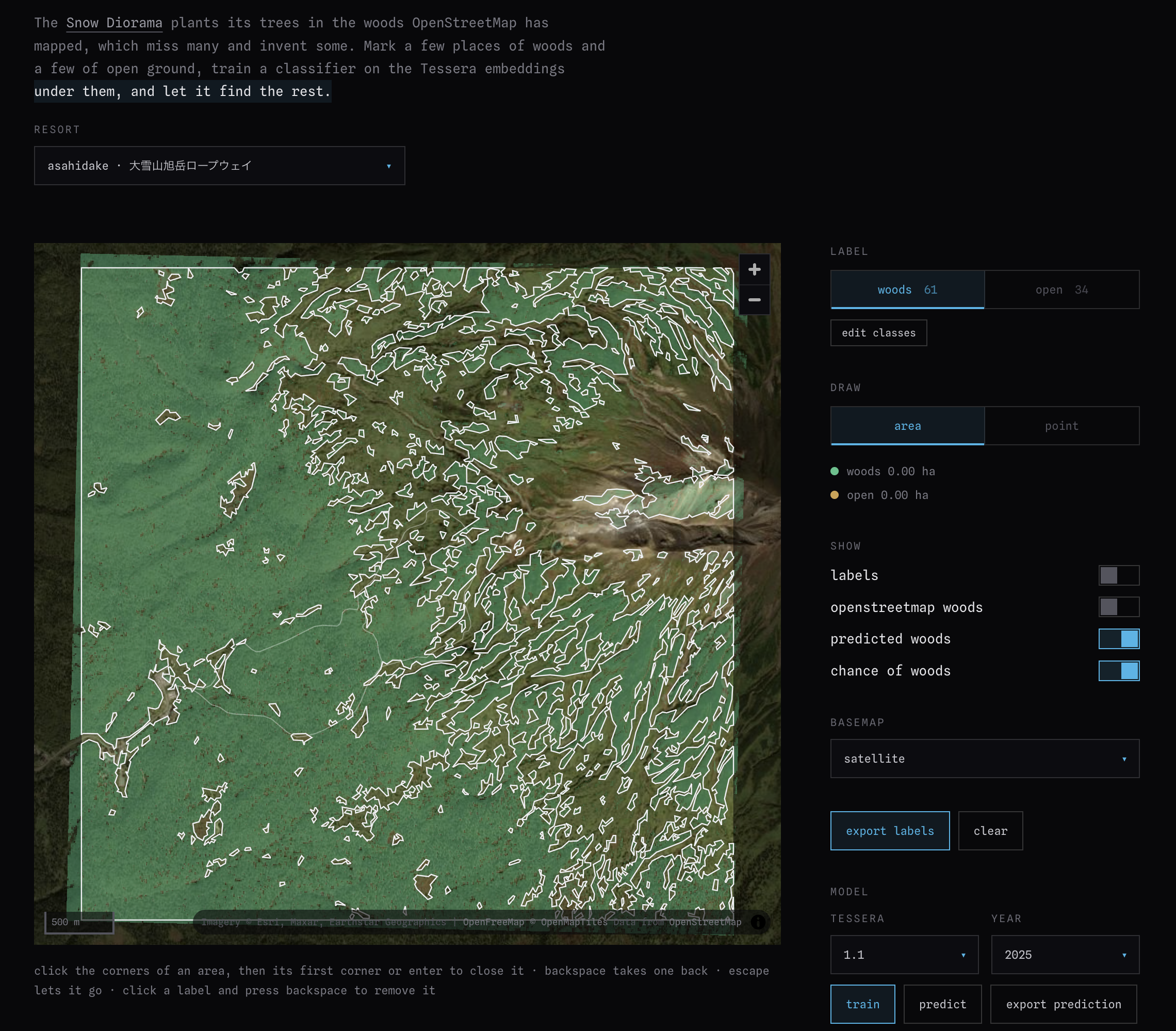
Once we train a classifier model to use these labels with the embeddings from Tessera, we can generate a much more detailed wooded area map:
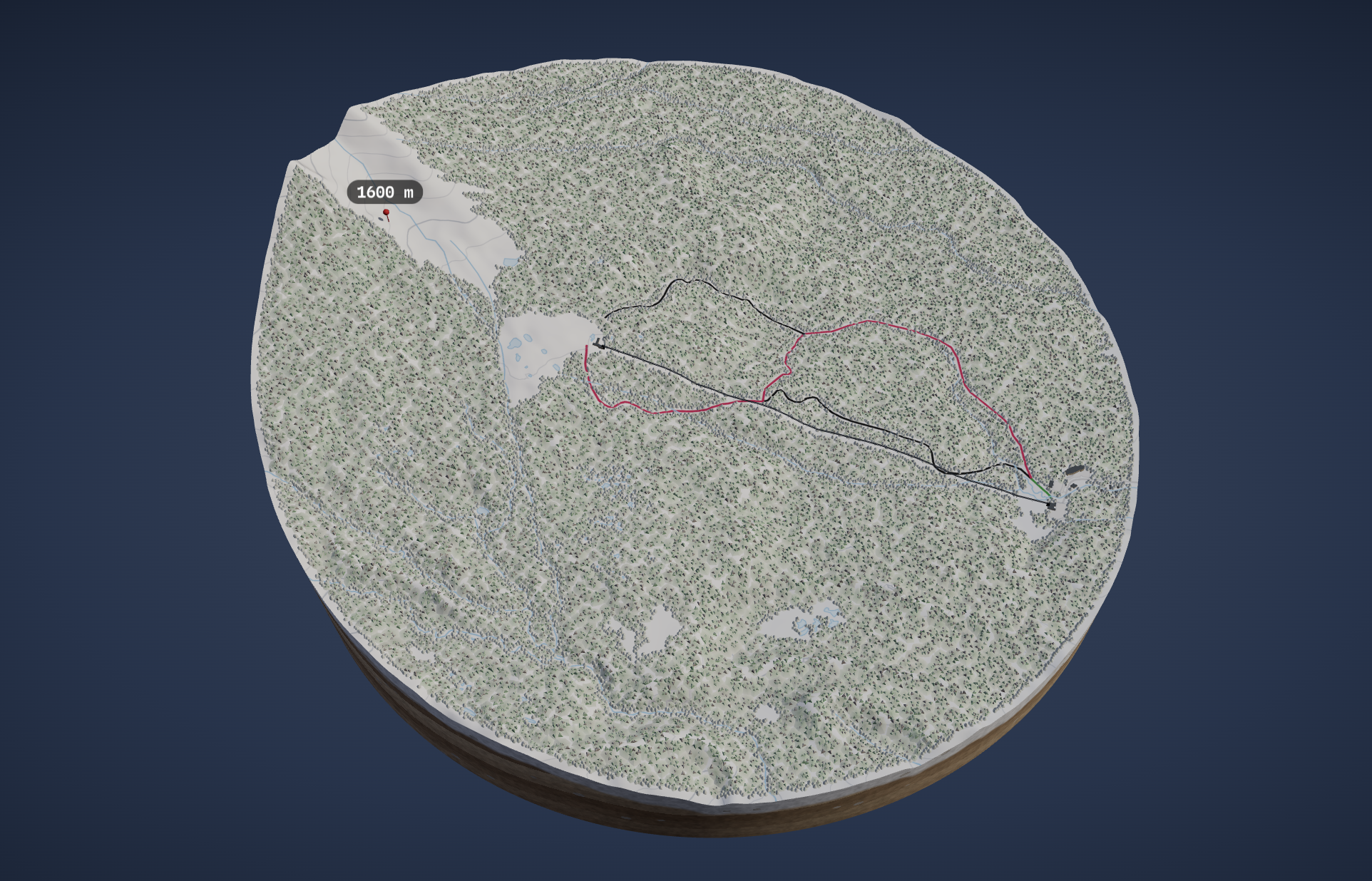
And so, we can take our OSM-based version of the area, in this case Asahidake, which from this rendering looks like it is completely covered by trees:
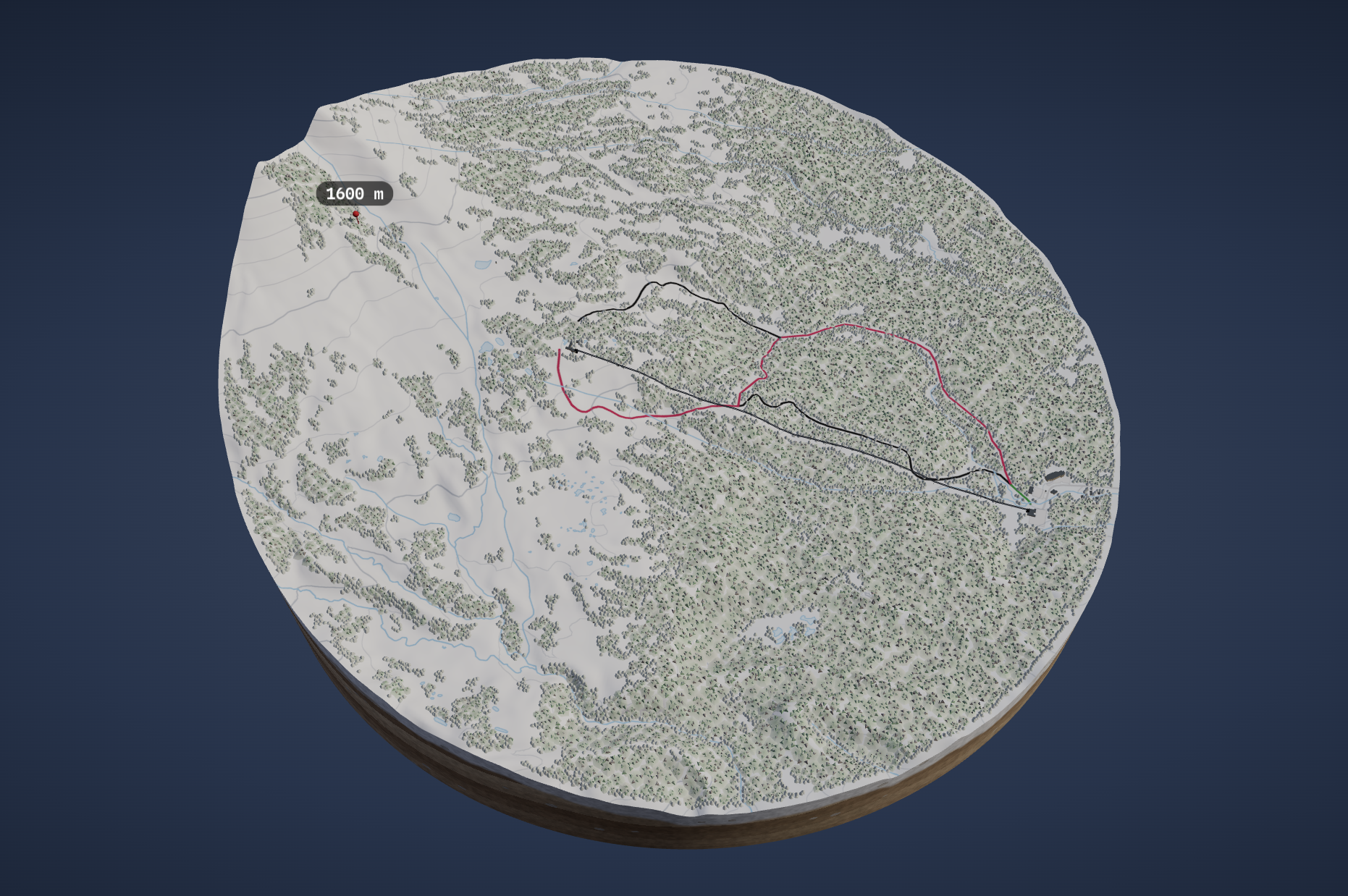
to this a detailed map of where the trees are and where they are not which is much more realistic to the actual terrain of the mountain in winter where a lot of exposed areas are present. The areas are still not 100% accurate, but it is definitely a huge improvement for navigating the mountain.
A proper comparison will be with an actual satellite image from Winter, this time via Google Earth:
Before: 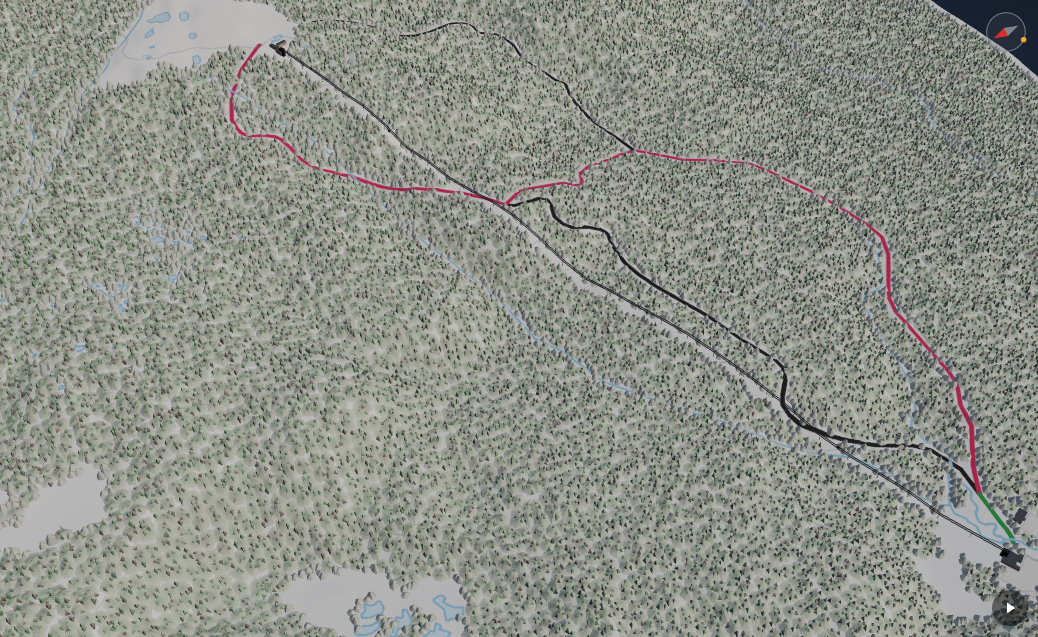
After: 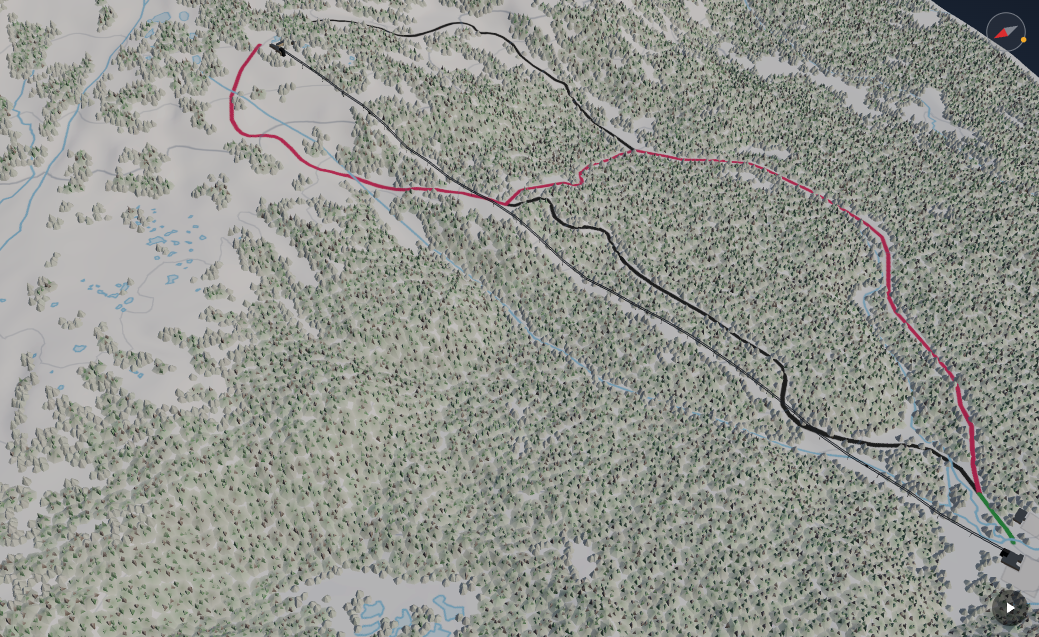
Actual: 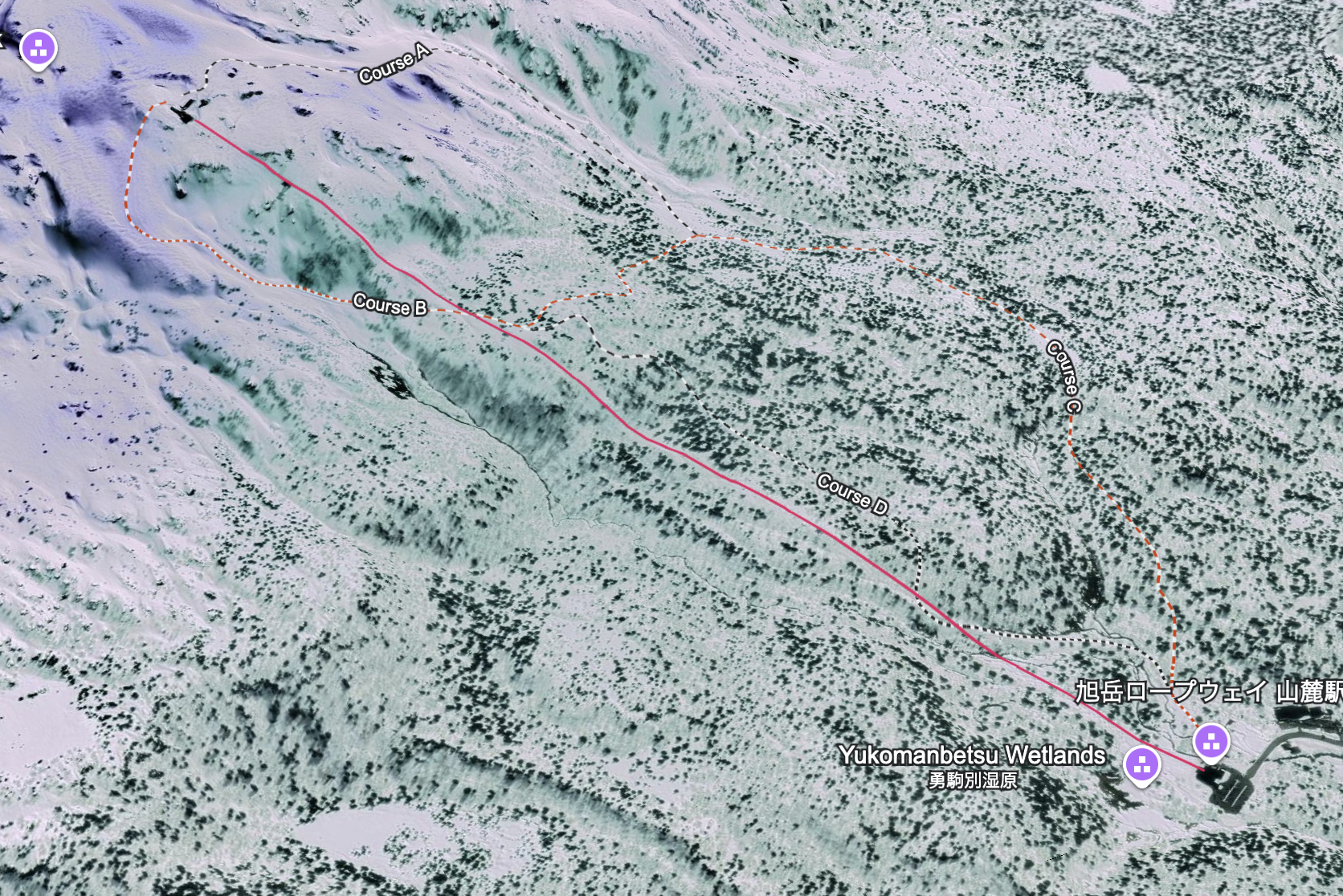
You can see near the top of the ropeway, the tree cover is more detailed and open areas are visible now. The lower parts are still not recognized correctly, a function of the model not quite trained well enough and that's a more complex problem with modeling height of trees vs snow depth which I still don't have an answer for yet.